



In this review

In this review
A typical workday can mean switching between a research tool, a slide app, a spreadsheet, and a chatbot just to finish one project. AI workspace platforms aim to bring all of that into one place, where an AI can help you research, write, build, and even complete whole tasks for you.
Genspark, Flowith, and Manus are three of the most popular options, but each takes a very different approach. That makes it hard to know which one will actually win on performance and efficiency.
We compared Genspark, Flowith, and Manus on features, performance and efficiency, team and business features, and price and value, and looked at what real users say about each. One came out as the clear winner. Read on to find out which.
What To Look For In An AI Workspace Platform
We judged every platform on the same four things:
- Features: The best platforms let you research, write, build slides, and work with spreadsheets in one place, and keep your work organized so you can find it again.
- Performance and efficiency: A good agent (an AI that works through a task step by step on its own) finishes real work quickly and accurately, and gets results into a form you can use without wasting credits on failed attempts.
- Team and business features: For teams, shared workspaces, central billing, usage tracking, and secure sign-in matter almost as much as the AI itself.
- Price and value: Most platforms run on credits (points used up each time the AI does work), so what counts is how many credits your monthly fee buys, how fast they go, and what you can do without spending them.
Let's see how Genspark, Flowith, and Manus compare.
AI Workspace Platforms Compared
Features: Genspark Wins with the Most Comprehensive Features
Most of your workday is research, writing, slides, and spreadsheets. The less you have to jump between apps to do those, the more efficiently you can work. We looked at what each platform offers and how it keeps that work organized.
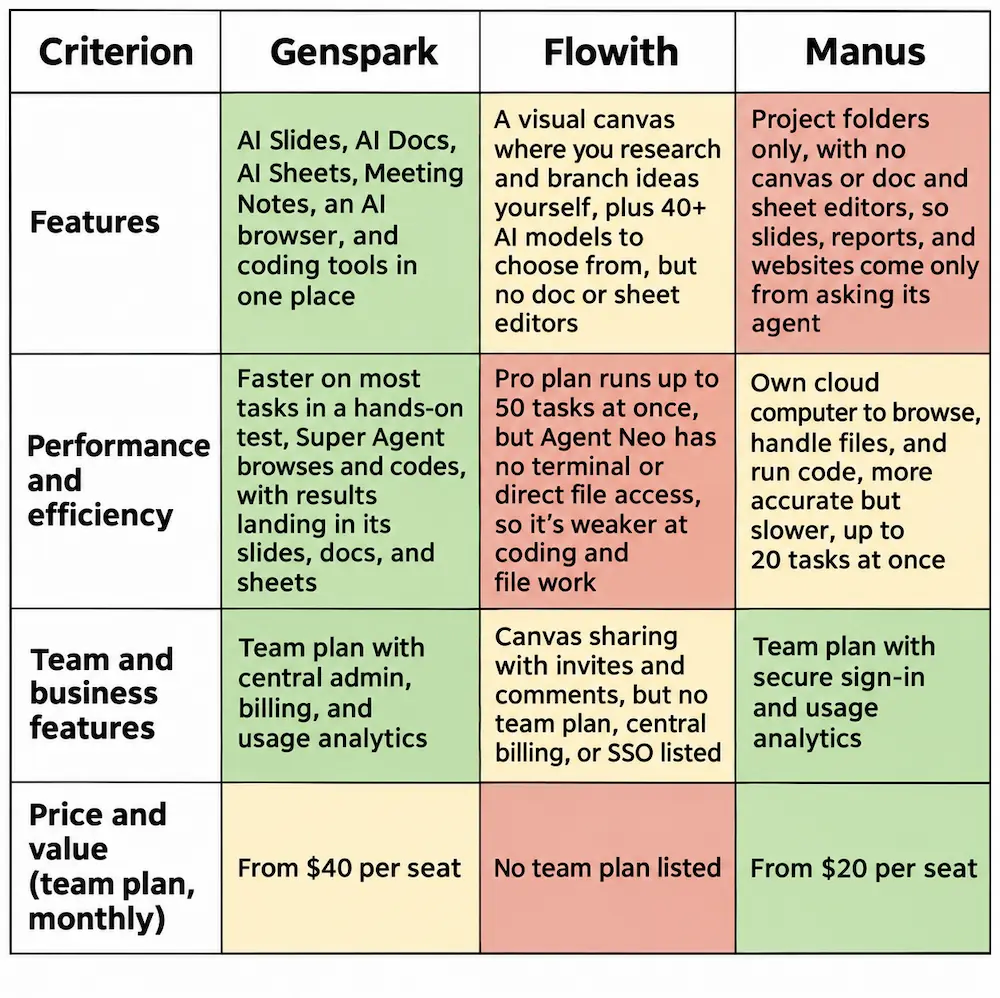
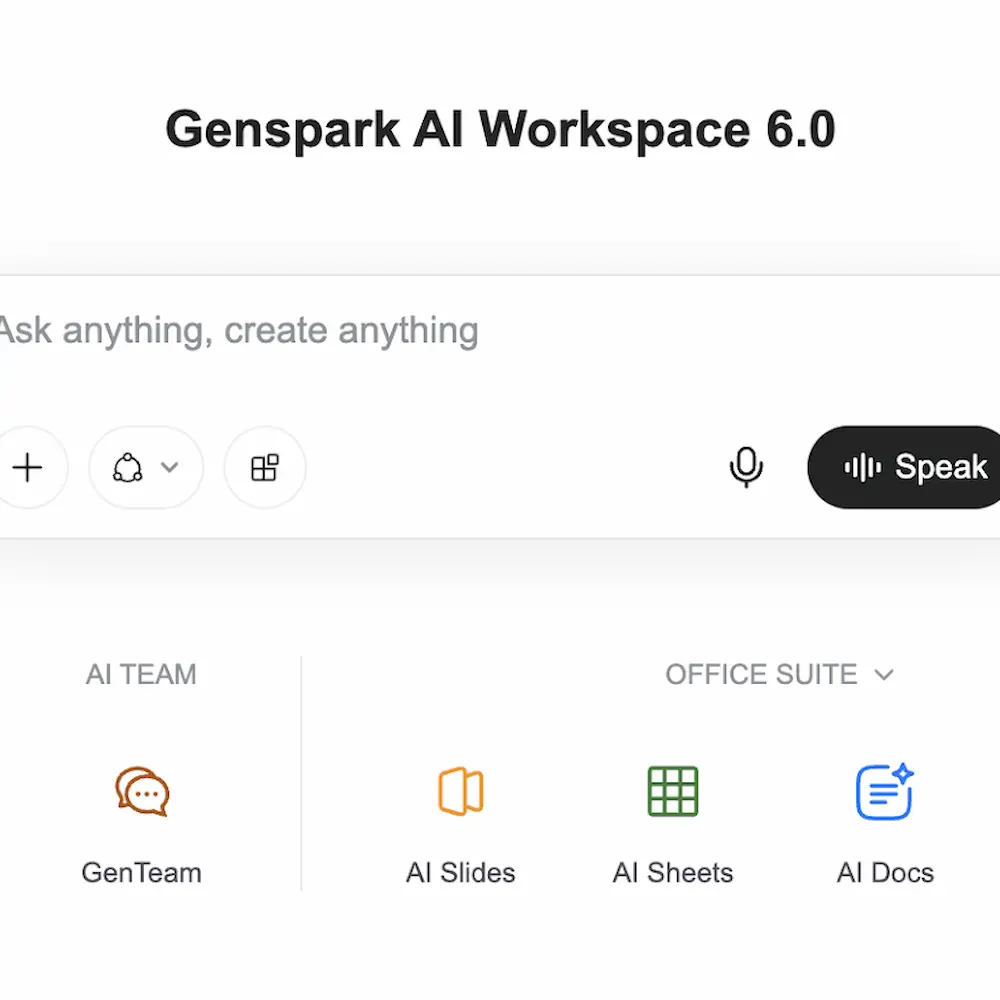
🥇 The winner: Genspark. Genspark gives you dedicated AI Slides, AI Docs, and AI Sheets, plus an AI browser, coding tools, and Meeting Notes that turn calls into summaries. Flowith and Manus don't list a meeting-notes tool or separate doc and sheet editors. For one person, that means a report, a deck, and a spreadsheet can all start in the same place. For teams, it means everyone works from one tool instead of five.¹
🥈 Runner-up: Flowith. Flowith's standout is its canvas. Instead of one long chat, each question, answer, and source sits on a visual board, and you can branch off to try a new idea without losing the old one. Genspark and Manus don't offer a canvas like this. It's great for brainstorming and comparing approaches side by side, and you can pick from 40+ AI models. However, It doesn't have dedicated doc or sheet editors.²⁻⁴
🥉 Third: Manus. Manus organizes work into projects, and you get slides, reports, and websites by asking its agent to build them. Like Flowith, it doesn't have separate doc or sheet editors, nor does it have Flowith's visual canvas. It's built more for handing off a task than for working through it yourself, which puts it behind Flowith, where you at least get a space to research and brainstorm on your own.⁵
Performance & Efficiency: Genspark Wins with Faster Results That Land Right in Your Documents
🥇 The winner: Genspark. In a seven-task, hands-on test by Techpoint Africa, Genspark finished five tasks faster than Manus, though the tester had to fact-check some outdated figures.⁶ Its Super Agent handles multi-step tasks with its own AI browser and coding tools, and the results land straight in Genspark's slides, docs, and sheets, so there's no copying work between apps. A weekly free allowance for standard agent tasks also means not every job uses credits.¹ Users often praise its range and speed for reports, meeting minutes, and decks, though some say generated slides can need layout fixes. However, reviewers say failed attempts can use up credits.
🥈 Runner-up: Manus. Every Manus task runs on its own cloud computer, with a web browser, files, and software tools. That lets it browse sites, write and run code, and build websites and apps, and you can step in and take over the browser when it needs help. Pro plans run up to 20 tasks at once.⁷,⁸ It's the most capable agent here, and the same Techpoint test found its work more accurate and closer to ready to use, but it was slower on most tasks.⁶ Many reviewers also say tasks sometimes stall or miss the brief and use up credits along the way.
🥉 Third: Flowith. Flowith's Agent Neo plans and carries out longer tasks, and you can watch each step appear on the canvas.⁹ Reviewers praised its research as thorough, but it doesn't have file or terminal access (the command line developers use to run code), so it can't handle the coding and file work Manus and Genspark can.¹⁰ Flowith's Pro plan does allow the most tasks at once, up to 50.¹¹
Team & Business Features: Genspark Wins with Central Admin, Billing, and Usage Analytics
Once a whole team is using AI, someone has to manage seats, billing, and who can see what. We looked at each platform's team plan, its cost, and how it helps a business get more done together.
🥇 The winner: Genspark. The Team plan costs $40 per person per month (the individual Plus plan is $24.99), with 10,000 credits per seat, and includes central admin and billing, usage analytics, and connector management (control over which outside apps it links to). Because everyone shares the same slides, docs, sheets, and meeting notes tools, a team can go from a call to a finished deck in one place. Secure single sign-on (SSO) is only on the Enterprise plan, which Manus includes on its Team plan. Genspark also says it doesn't train its AI on customer data on any plan.¹
🥈 Runner-up: Manus. The Team plan starts at $20 per person per month, the same as its individual Pro plan, and includes SSO, team usage analytics, access controls, shared slide templates, and an opt-out from data training. You can also invite teammates into a task so they can guide the agent together. Its base rate is cheaper than Genspark per seat and stronger on security, but its business tools center on the agent rather than shared documents.⁵,⁷
🥉 Third: Flowith. You can share a canvas and work on it together, with comments kept on each branch. That's handy for group brainstorming. But Flowith's pricing page doesn't list a team plan, central billing, usage analytics, or SSO, which Genspark and Manus both offer in some form.²,³
Price & Value: Flowith Wins with the Most Credits for the Lowest Monthly Price

All prices below are per person, per month, billed monthly. For each platform, we list the individual plan first and then the team plan, where there is one.
🥇 The winner: Flowith. The individual Pro plan costs $19.90 per person a month and includes 20,000 credits, about $1 per 1,000, the lowest of the three. It also includes 40+ AI models and the right to use what you create commercially. Credits go furthest on chat and research, while an image costs a handful of credits and a single video can use hundreds or even thousands. Unused credits expire at the end of each month. The free Starter plan gives you 300 credits once, which one reviewer found lasts only a day or two of regular use. Flowith doesn't list a team plan.³,¹¹
🥈 Runner-up: Genspark. The individual Plus plan costs $24.99 per person a month and includes 10,000 credits, about $2.50 per 1,000. The lower credit count doesn't tell the whole story, because a lot of Genspark's work doesn't touch credits at all. A weekly free allowance covers standard tasks in Super Agent, Slides, Sheets, and Docs, and Meeting Notes, and the core chat and image models don't use credits either. The free plan gives you 100 credits a day.¹ Credits come into play on bigger jobs, like a full slide deck at 100 or more credits, and unused credits expire each month.¹² Some reviewers say credits go quickly on those bigger jobs. For teams, the Team plan costs $40 per person a month, with 10,000 credits per seat.¹
🥉 Third: Manus. The individual Pro plan costs $20 per person a month for 4,000 credits, about $5 per 1,000, the most per credit of the three. A higher Pro tier doubles that to 8,000 credits for $40 a month, and the free plan gives you 300 credits a day for simple questions. For teams, the Team plan starts at $20 per person a month.⁵ Those credits pay for Manus's own cloud computer as well as the AI, so browsing, file work, and running code all draw from the same pool. You're only charged while a task is running, and unused credits are cleared at the start of each month.¹³ Many reviewers complain that credits run out fast and that billing and refunds are hard to sort out.
Conclusion: Genspark Is Our Clear Winner
After comparing Genspark, Flowith, and Manus, we found one winner that does the most for everyday work and for teams: Genspark.
For individuals, it puts slides, docs, sheets, meeting notes, an AI browser, and coding tools in one subscription, and its agent finishes most tasks faster in hands-on testing, so a whole project can start and finish in the same place. For teams, the Team plan adds centralized billing, usage analytics, and control over connected apps, so everyone works from the same set of tools.
Ready to try Genspark?
References
- Genspark pricing and plans
- Flowith Canvas
- Flowith pricing and plans
- Flowith reviews on G2
- Manus membership pricing, Manus help center
- Manus vs. Genspark hands-on test, Techpoint Africa (2025)
- How Manus runs each task on its own cloud computer, Manus
- Taking over Manus's browser, Manus help center
- About Flowith's Agent Neo
- Flowith review, eesel
- Flowith's canvas, Agent Neo, and pricing explained, eesel
- Genspark pricing explained, eesel
- Manus credit usage rules, Manus help center


